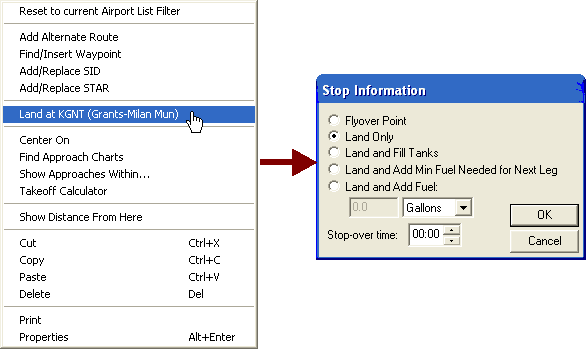
You can divide a route by inserting a landing in a route leg in the Enroute Charts View or in the RoutePack List.
Right-click on the airport you want to make the new landing point on the Enroute Charts View (this airport must already be a waypoint in your route) or in the RoutePack List.
Choose Land at (the airport).
Select the type of stop: Land Only (no fuel), Land and Fill (add full fuel), or Land and Add (then enter a specific amount of fuel to add).
Click OK.
This will break your original route into two separate legs, the first ending and the second beginning at the stop you added. When you want to look at reports or request weather, open the RoutePack List and highlight each leg.