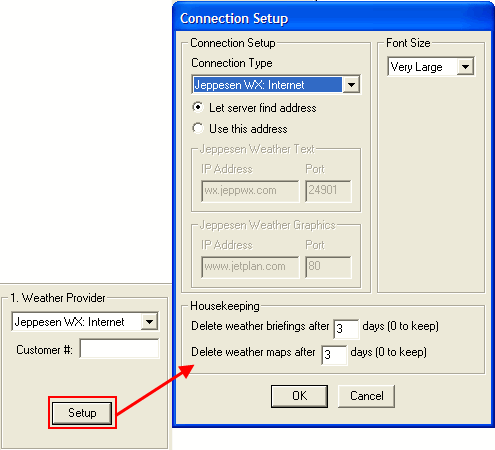
FliteStar automatically deletes weather files after the number of days specified at the bottom of the Connection Setup dialog box. If you want these files to remain on your hard drive indefinitely, set the numbers to zero or copy them to another directory.
You can manually delete thumbnails of satellite images and weather maps by right-clicking on them in the sidebar of the Weather tab and selecting Delete from the shortcut menu. The weather files are located in one of the following directories based upon your computer setup:
[root]:\Users\[User Profile]\Jeppesen\Common\Weather\ (Windows Vista/7)
[root]:\Jeppesen\Common\Weather\ (Windows XP)
[root]:\Program Files\Jeppesen\Common\Weather\ (Windows XP)