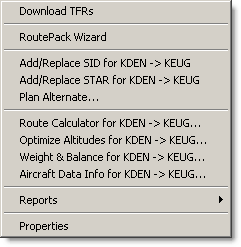
The Preflight menu lists all the steps in the flight-planning process in one place. Start with the top menu item and work down the list. The entire purpose of FliteStar is to help you set up a safe and enjoyable flight as easily and accurately as possible.
Use the following links for additional information about each Preflight menu item:
Properties vary based on whatever is currently selected:
RoutePack Properties (when a RoutePack is selected)
Airport Properties (when an airport is selected on the enroute chart)
Chart Properties (when viewing the Enroute Charts View and no specific object is selected)